UI / UX Design
MSME Relationship Platform - Mobile App Case Study
A fintech mobile app designed for bank Relationship Managers managing MSME portfolios in the field. Covers research synthesis, key design decisions, accessibility, and pilot outcomes.
Year :
2025
Industry :
Fintech / Corporate Banking
Client :
Leading Indian Bank

Project Overview :
The MSME Relationship Platform (Mobile App) was designed for Relationship Managers (RMs) at a leading bank to manage and engage MSME clients efficiently.
The app’s primary purpose is to:
Serve as a centralized mobile workspace for RMs.
Provide real-time access to MSME client profiles, credit exposure, and relationship summaries.
Enable RMs to add new MSMEs and track their onboarding progress.
Facilitate meeting scheduling, updates, and follow-ups directly from mobile devices.
Scope & Role:
Mobile app targeted for RMs only
Designed high-fidelity mobile screens directly due to tight deadlines.
Iterated screens based on internal feedback and pilot testing.

Note : This user flow is a generalized representation of the actual process. Specific steps and system details have been intentionally omitted
Note : This user flow is a generalized representation of the actual process. Specific steps and system details have been intentionally omitted
Note : This user flow is a generalized representation of the actual process. Specific steps and system details have been intentionally omitted
THE PROBLEM
Picture an RM sitting across from a business owner in a factory in Pune. The owner asks, "What's my current credit exposure against the limit?" The RM reaches for their phone, which requires logging into two separate portals and opening a spreadsheet they emailed themselves that morning. Thirty seconds later, it's still loading. They say, "Let me get back to you on the exact figure."
That moment, a small failure of access in front of a client, happened dozens of times a day across the bank's regional RM teams. It wasn't a technology failure. It was a design failure. The tools existed. They were just unusable in the field.
The brief I was given : Design a mobile-first platform that gives RMs everything they need to manage their MSME portfolio, including client profiles, credit data, meeting logs, and new MSME additions, from a single app without a laptop, multiple logins, or delays in accessing information.
What made this genuinely hard : RMs aren't casual app users. They're domain experts managing complex financial relationships under time pressure, often in low-connectivity environments and frequently using their phones one-handed while moving between meetings. Designing for them meant prioritizing expertise and efficiency over discoverability and simplicity.
UNDERSTANDING THE USERS
The Business Analyst team conducted internal workshops with regional and zonal banking teams before I joined the project. When I reviewed the workshop outputs, three patterns stood out immediately and shaped every major design decision I made.
Pattern 1: The pre meeting preparation problem was the highest stakes use case.
Relationship Managers described needing to quickly refresh their understanding of a client before walking into an office. They needed visibility into the last interaction, open action items, and the client's current financial position. This often happened in less than two minutes while standing outside a building. Speed and ease of scanning information were not optional features. They were the primary measure of success.
Pattern 2: Relationship Managers were making important decisions with incomplete data.
Because real time data was only available through desktop systems, Relationship Managers often relied on memory or spreadsheets that had been updated the previous day. For information such as credit exposure figures that changed daily, this created significant professional and compliance risk.
Pattern 3: Meeting and follow up logging was the lowest priority task for Relationship Managers but the highest priority source of data for the bank.
Relationship Managers frequently skipped logging meetings because the existing system required desktop access and involved more than eight steps. As a result, the bank maintained an incomplete record of activity across hundreds of client relationships. This made it clear that unless logging a meeting was faster and easier than choosing not to do it, adoption would remain low.
I went beyond the documented findings by attending two internal Relationship Manager review sessions in person. Observing how Relationship Managers interacted with their existing tools, including moments of hesitation, reliance on workarounds, and repeated copying and pasting between applications, provided qualitative insights that were not captured in the written brief.

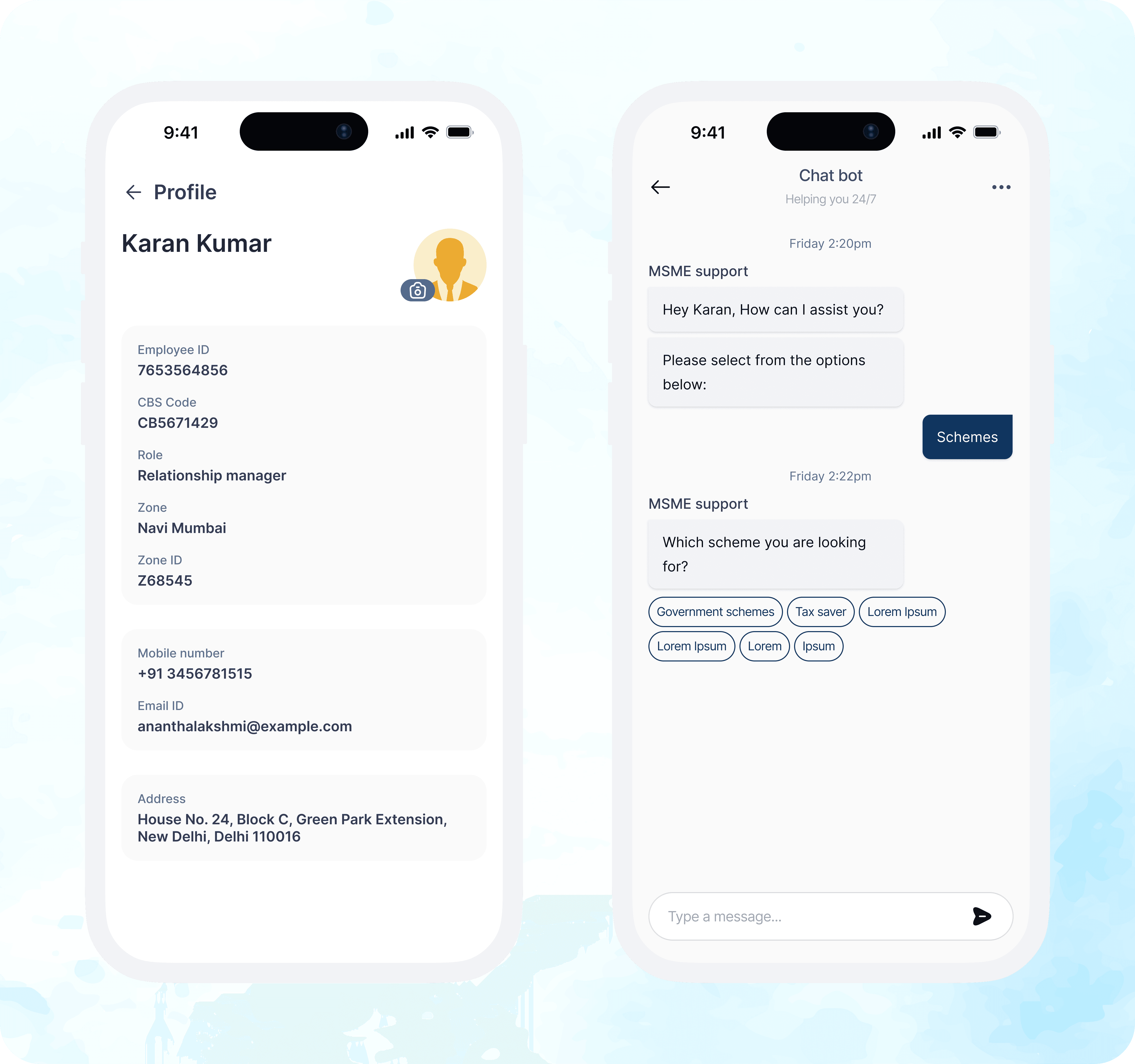
Note : Design screens have been recreated for portfolio purposes. Original confidential UI has been omitted
Note : Design screens have been recreated for portfolio purposes. Original confidential UI has been omitted
THE DESIGN DECISIONS THAT MATTERED
Decision 1: Summary first, detailed information on demand
The original brief suggested a complete client profile as the main screen. However, a full MSME profile contained more than 40 data fields. Based on my research, I knew Relationship Managers only needed a few key details before a meeting: client name, relationship value, last interaction date, and pending action items.
I designed a card based summary that highlighted these details first, with a clear option to view the full profile when needed. Information such as loan history, documents, and product holdings was placed one tap deeper.
Some stakeholders felt the design was too simple. To address this, I added a customizable Quick Stats section where Relationship Managers could pin two additional metrics they used most often.
Decision 2: Make meeting logging fast and effortless
The existing system required users to fill out eight fields, so many Relationship Managers skipped logging meetings altogether.
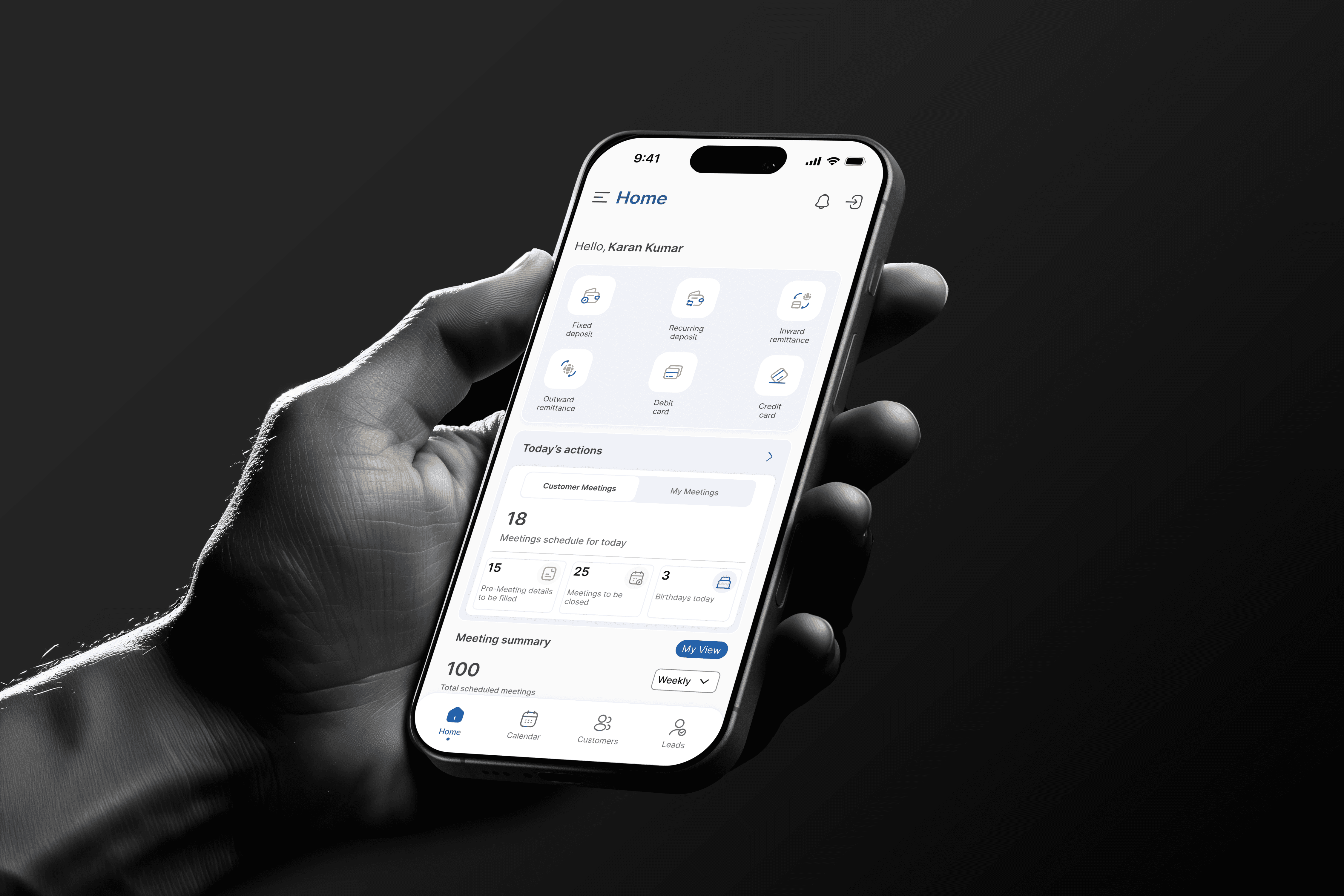
Instead of simplifying the form, I redesigned the experience.The Meetings tab in the bottom navigation provided quick access to meeting logging. Client details, date, and time were prefilled, allowing Relationship Managers to record meetings with just a few taps.
This reduced the process to a few taps and allowed meetings to be logged in under 15 seconds. During testing, stakeholders said they would actually use this approach because it felt much less like administrative work.
Decision 3: Design for field work
Relationship Managers often use the app while moving between client meetings, sometimes with one hand and in bright outdoor conditions.
To support this, I placed all primary navigation at the bottom of the screen, used high contrast visual states for better visibility, and added a quick add MSME shortcut that could be accessed from anywhere in the app.
Decision 4: Moving directly to high fidelity designs
With a six week timeline and regular access to stakeholders, I chose to skip low fidelity wireframes and move directly into high fidelity designs.
To reduce risk, I held weekly review sessions with Relationship Managers and used their feedback to improve the product throughout the project.
These sessions led to several key improvements, including a Quick Access Toolbar, a simpler loan and exposure visualization, and clearer navigation labels that matched the language Relationship Managers used every day.


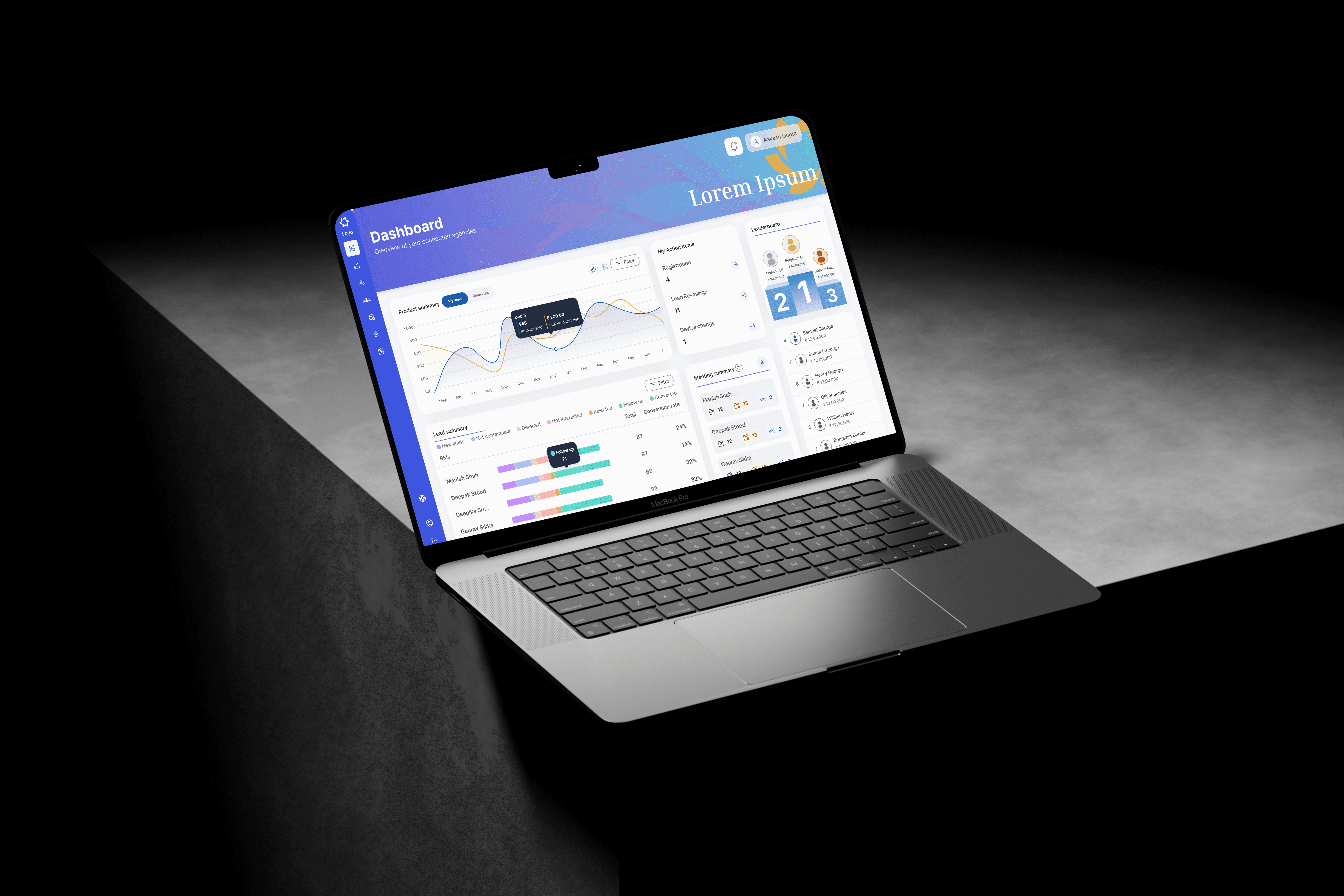
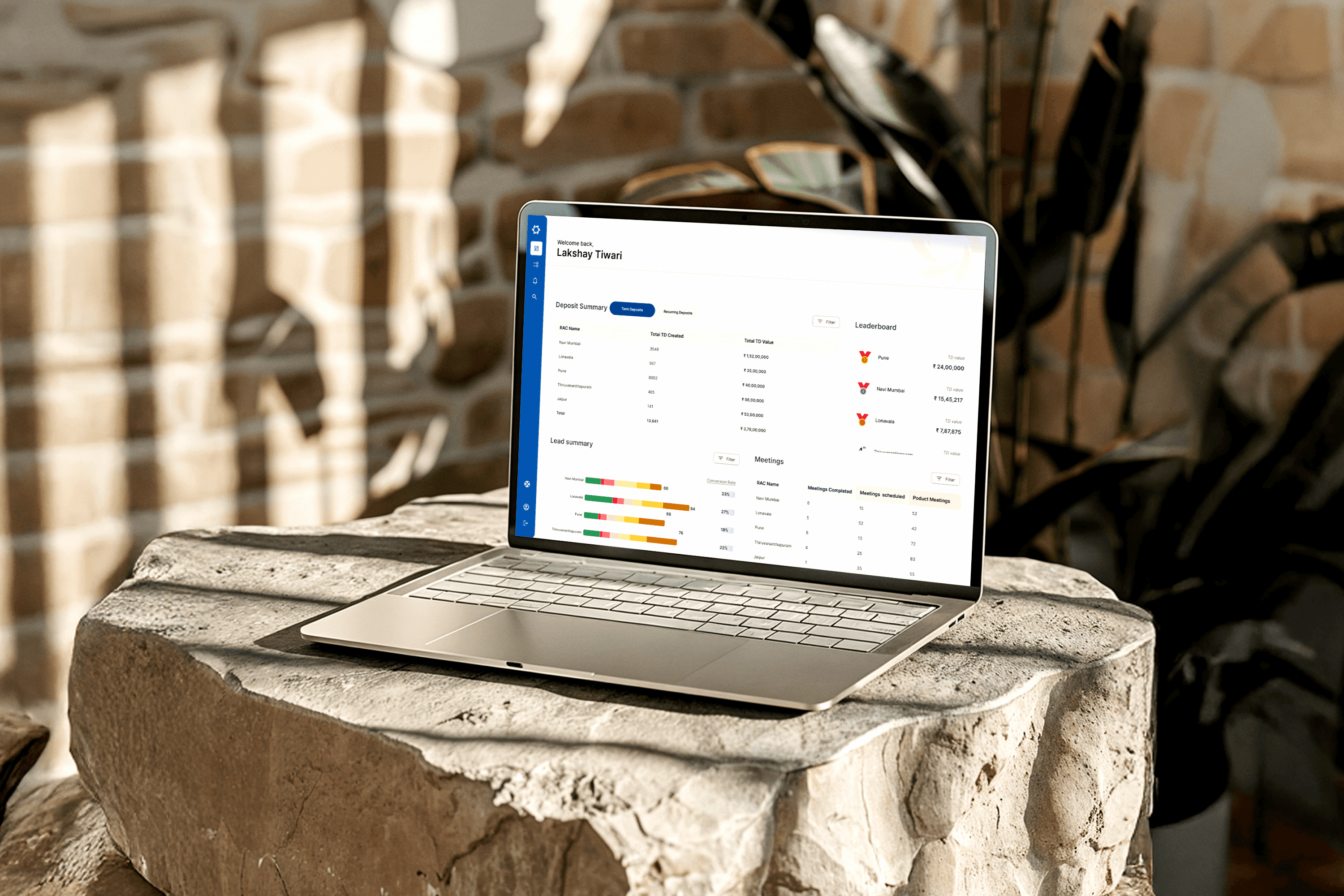
Note : Design screens have been recreated for portfolio purposes. Original confidential UI has been omitted
Note : Design screens have been recreated for portfolio purposes. Original confidential UI has been omitted
Outcome :
Several positive changes were observed during the pilot phase:
Meeting log completion increased significantly within the first two weeks. Feedback from Relationship Managers confirmed that the simpler three tap logging process was the main reason for this improvement.
No Relationship Manager requested a return to the previous workflow, which required switching between multiple systems.
By week six, 34% of all new MSME additions in the pilot zones were submitted through the mobile app. Relationship Managers were able to complete client onboarding activities while meeting clients instead of waiting until they returned to the office.
Review sessions with the Central Operations team showed a noticeable improvement in activity data quality. This was largely due to more consistent meeting logging by Relationship Managers.
More Projects


UI / UX Design
MSME Relationship Platform - Mobile App Case Study
A fintech mobile app designed for bank Relationship Managers managing MSME portfolios in the field. Covers research synthesis, key design decisions, accessibility, and pilot outcomes.
Year :
2025
Industry :
Fintech / Corporate Banking
Client :
Leading Indian Bank
Project Overview :
The MSME Relationship Platform (Mobile App) was designed for Relationship Managers (RMs) at a leading bank to manage and engage MSME clients efficiently.
The app’s primary purpose is to:
Serve as a centralized mobile workspace for RMs.
Provide real-time access to MSME client profiles, credit exposure, and relationship summaries.
Enable RMs to add new MSMEs and track their onboarding progress.
Facilitate meeting scheduling, updates, and follow-ups directly from mobile devices.
Scope & Role:
Mobile app targeted for RMs only
Designed high-fidelity mobile screens directly due to tight deadlines.
Iterated screens based on internal feedback and pilot testing.
Note : This user flow is a generalized representation of the actual process. Specific steps and system details have been intentionally omitted
Note : This user flow is a generalized representation of the actual process. Specific steps and system details have been intentionally omitted
Note : This user flow is a generalized representation of the actual process. Specific steps and system details have been intentionally omitted
THE PROBLEM
Picture an RM sitting across from a business owner in a factory in Pune. The owner asks, "What's my current credit exposure against the limit?" The RM reaches for their phone, which requires logging into two separate portals and opening a spreadsheet they emailed themselves that morning. Thirty seconds later, it's still loading. They say, "Let me get back to you on the exact figure."
That moment, a small failure of access in front of a client, happened dozens of times a day across the bank's regional RM teams. It wasn't a technology failure. It was a design failure. The tools existed. They were just unusable in the field.
The brief I was given : Design a mobile-first platform that gives RMs everything they need to manage their MSME portfolio, including client profiles, credit data, meeting logs, and new MSME additions, from a single app without a laptop, multiple logins, or delays in accessing information.
What made this genuinely hard : RMs aren't casual app users. They're domain experts managing complex financial relationships under time pressure, often in low-connectivity environments and frequently using their phones one-handed while moving between meetings. Designing for them meant prioritizing expertise and efficiency over discoverability and simplicity.
UNDERSTANDING THE USERS
The Business Analyst team conducted internal workshops with regional and zonal banking teams before I joined the project. When I reviewed the workshop outputs, three patterns stood out immediately and shaped every major design decision I made.
Pattern 1: The pre meeting preparation problem was the highest stakes use case.
Relationship Managers described needing to quickly refresh their understanding of a client before walking into an office. They needed visibility into the last interaction, open action items, and the client's current financial position. This often happened in less than two minutes while standing outside a building. Speed and ease of scanning information were not optional features. They were the primary measure of success.
Pattern 2: Relationship Managers were making important decisions with incomplete data.
Because real time data was only available through desktop systems, Relationship Managers often relied on memory or spreadsheets that had been updated the previous day. For information such as credit exposure figures that changed daily, this created significant professional and compliance risk.
Pattern 3: Meeting and follow up logging was the lowest priority task for Relationship Managers but the highest priority source of data for the bank.
Relationship Managers frequently skipped logging meetings because the existing system required desktop access and involved more than eight steps. As a result, the bank maintained an incomplete record of activity across hundreds of client relationships. This made it clear that unless logging a meeting was faster and easier than choosing not to do it, adoption would remain low.
I went beyond the documented findings by attending two internal Relationship Manager review sessions in person. Observing how Relationship Managers interacted with their existing tools, including moments of hesitation, reliance on workarounds, and repeated copying and pasting between applications, provided qualitative insights that were not captured in the written brief.
Note : Design screens have been recreated for portfolio purposes. Original confidential UI has been omitted
Note : Design screens have been recreated for portfolio purposes. Original confidential UI has been omitted
THE DESIGN DECISIONS THAT MATTERED
Decision 1: Summary first, detailed information on demand
The original brief suggested a complete client profile as the main screen. However, a full MSME profile contained more than 40 data fields. Based on my research, I knew Relationship Managers only needed a few key details before a meeting: client name, relationship value, last interaction date, and pending action items.
I designed a card based summary that highlighted these details first, with a clear option to view the full profile when needed. Information such as loan history, documents, and product holdings was placed one tap deeper.
Some stakeholders felt the design was too simple. To address this, I added a customizable Quick Stats section where Relationship Managers could pin two additional metrics they used most often.
Decision 2: Make meeting logging fast and effortless
The existing system required users to fill out eight fields, so many Relationship Managers skipped logging meetings altogether.
Instead of simplifying the form, I redesigned the experience.The Meetings tab in the bottom navigation provided quick access to meeting logging. Client details, date, and time were prefilled, allowing Relationship Managers to record meetings with just a few taps.
This reduced the process to a few taps and allowed meetings to be logged in under 15 seconds. During testing, stakeholders said they would actually use this approach because it felt much less like administrative work.
Decision 3: Design for field work
Relationship Managers often use the app while moving between client meetings, sometimes with one hand and in bright outdoor conditions.
To support this, I placed all primary navigation at the bottom of the screen, used high contrast visual states for better visibility, and added a quick add MSME shortcut that could be accessed from anywhere in the app.
Decision 4: Moving directly to high fidelity designs
With a six week timeline and regular access to stakeholders, I chose to skip low fidelity wireframes and move directly into high fidelity designs.
To reduce risk, I held weekly review sessions with Relationship Managers and used their feedback to improve the product throughout the project.
These sessions led to several key improvements, including a Quick Access Toolbar, a simpler loan and exposure visualization, and clearer navigation labels that matched the language Relationship Managers used every day.
Note : Design screens have been recreated for portfolio purposes. Original confidential UI has been omitted
Note : Design screens have been recreated for portfolio purposes. Original confidential UI has been omitted
Outcome :
Several positive changes were observed during the pilot phase:
Meeting log completion increased significantly within the first two weeks. Feedback from Relationship Managers confirmed that the simpler three tap logging process was the main reason for this improvement.
No Relationship Manager requested a return to the previous workflow, which required switching between multiple systems.
By week six, 34% of all new MSME additions in the pilot zones were submitted through the mobile app. Relationship Managers were able to complete client onboarding activities while meeting clients instead of waiting until they returned to the office.
Review sessions with the Central Operations team showed a noticeable improvement in activity data quality. This was largely due to more consistent meeting logging by Relationship Managers.
More Projects
UI / UX Design
MSME Relationship Platform - Mobile App Case Study
A fintech mobile app designed for bank Relationship Managers managing MSME portfolios in the field. Covers research synthesis, key design decisions, accessibility, and pilot outcomes.
Year :
2025
Industry :
Fintech / Corporate Banking
Client :
Leading Indian Bank
Project Overview :
The MSME Relationship Platform (Mobile App) was designed for Relationship Managers (RMs) at a leading bank to manage and engage MSME clients efficiently.
The app’s primary purpose is to:
Serve as a centralized mobile workspace for RMs.
Provide real-time access to MSME client profiles, credit exposure, and relationship summaries.
Enable RMs to add new MSMEs and track their onboarding progress.
Facilitate meeting scheduling, updates, and follow-ups directly from mobile devices.
Scope & Role:
Mobile app targeted for RMs only
Designed high-fidelity mobile screens directly due to tight deadlines.
Iterated screens based on internal feedback and pilot testing.
Note : This user flow is a generalized representation of the actual process. Specific steps and system details have been intentionally omitted
Note : This user flow is a generalized representation of the actual process. Specific steps and system details have been intentionally omitted
Note : This user flow is a generalized representation of the actual process. Specific steps and system details have been intentionally omitted
THE PROBLEM
Picture an RM sitting across from a business owner in a factory in Pune. The owner asks, "What's my current credit exposure against the limit?" The RM reaches for their phone, which requires logging into two separate portals and opening a spreadsheet they emailed themselves that morning. Thirty seconds later, it's still loading. They say, "Let me get back to you on the exact figure."
That moment, a small failure of access in front of a client, happened dozens of times a day across the bank's regional RM teams. It wasn't a technology failure. It was a design failure. The tools existed. They were just unusable in the field.
The brief I was given : Design a mobile-first platform that gives RMs everything they need to manage their MSME portfolio, including client profiles, credit data, meeting logs, and new MSME additions, from a single app without a laptop, multiple logins, or delays in accessing information.
What made this genuinely hard : RMs aren't casual app users. They're domain experts managing complex financial relationships under time pressure, often in low-connectivity environments and frequently using their phones one-handed while moving between meetings. Designing for them meant prioritizing expertise and efficiency over discoverability and simplicity.
UNDERSTANDING THE USERS
The Business Analyst team conducted internal workshops with regional and zonal banking teams before I joined the project. When I reviewed the workshop outputs, three patterns stood out immediately and shaped every major design decision I made.
Pattern 1: The pre meeting preparation problem was the highest stakes use case.
Relationship Managers described needing to quickly refresh their understanding of a client before walking into an office. They needed visibility into the last interaction, open action items, and the client's current financial position. This often happened in less than two minutes while standing outside a building. Speed and ease of scanning information were not optional features. They were the primary measure of success.
Pattern 2: Relationship Managers were making important decisions with incomplete data.
Because real time data was only available through desktop systems, Relationship Managers often relied on memory or spreadsheets that had been updated the previous day. For information such as credit exposure figures that changed daily, this created significant professional and compliance risk.
Pattern 3: Meeting and follow up logging was the lowest priority task for Relationship Managers but the highest priority source of data for the bank.
Relationship Managers frequently skipped logging meetings because the existing system required desktop access and involved more than eight steps. As a result, the bank maintained an incomplete record of activity across hundreds of client relationships. This made it clear that unless logging a meeting was faster and easier than choosing not to do it, adoption would remain low.
I went beyond the documented findings by attending two internal Relationship Manager review sessions in person. Observing how Relationship Managers interacted with their existing tools, including moments of hesitation, reliance on workarounds, and repeated copying and pasting between applications, provided qualitative insights that were not captured in the written brief.
Note : Design screens have been recreated for portfolio purposes. Original confidential UI has been omitted
Note : Design screens have been recreated for portfolio purposes. Original confidential UI has been omitted
THE DESIGN DECISIONS THAT MATTERED
Decision 1: Summary first, detailed information on demand
The original brief suggested a complete client profile as the main screen. However, a full MSME profile contained more than 40 data fields. Based on my research, I knew Relationship Managers only needed a few key details before a meeting: client name, relationship value, last interaction date, and pending action items.
I designed a card based summary that highlighted these details first, with a clear option to view the full profile when needed. Information such as loan history, documents, and product holdings was placed one tap deeper.
Some stakeholders felt the design was too simple. To address this, I added a customizable Quick Stats section where Relationship Managers could pin two additional metrics they used most often.
Decision 2: Make meeting logging fast and effortless
The existing system required users to fill out eight fields, so many Relationship Managers skipped logging meetings altogether.
Instead of simplifying the form, I redesigned the experience.The Meetings tab in the bottom navigation provided quick access to meeting logging. Client details, date, and time were prefilled, allowing Relationship Managers to record meetings with just a few taps.
This reduced the process to a few taps and allowed meetings to be logged in under 15 seconds. During testing, stakeholders said they would actually use this approach because it felt much less like administrative work.
Decision 3: Design for field work
Relationship Managers often use the app while moving between client meetings, sometimes with one hand and in bright outdoor conditions.
To support this, I placed all primary navigation at the bottom of the screen, used high contrast visual states for better visibility, and added a quick add MSME shortcut that could be accessed from anywhere in the app.
Decision 4: Moving directly to high fidelity designs
With a six week timeline and regular access to stakeholders, I chose to skip low fidelity wireframes and move directly into high fidelity designs.
To reduce risk, I held weekly review sessions with Relationship Managers and used their feedback to improve the product throughout the project.
These sessions led to several key improvements, including a Quick Access Toolbar, a simpler loan and exposure visualization, and clearer navigation labels that matched the language Relationship Managers used every day.
Note : Design screens have been recreated for portfolio purposes. Original confidential UI has been omitted
Note : Design screens have been recreated for portfolio purposes. Original confidential UI has been omitted
Outcome :
Several positive changes were observed during the pilot phase:
Meeting log completion increased significantly within the first two weeks. Feedback from Relationship Managers confirmed that the simpler three tap logging process was the main reason for this improvement.
No Relationship Manager requested a return to the previous workflow, which required switching between multiple systems.
By week six, 34% of all new MSME additions in the pilot zones were submitted through the mobile app. Relationship Managers were able to complete client onboarding activities while meeting clients instead of waiting until they returned to the office.
Review sessions with the Central Operations team showed a noticeable improvement in activity data quality. This was largely due to more consistent meeting logging by Relationship Managers.